


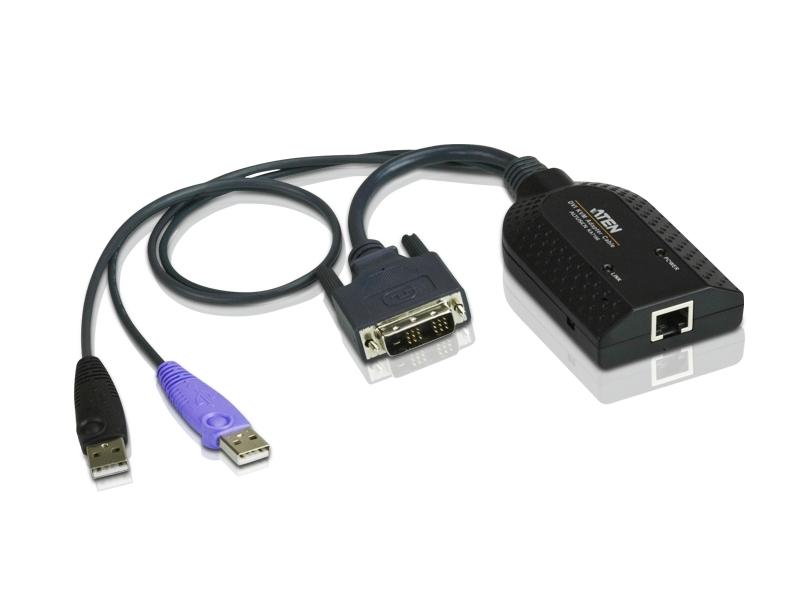

Description
The KA7166 is a compact KVM adapter cable designed to connect a KVM switch to a target computer via DVI-D and USB. It provides DVI-D video pass-through plus USB connectivity for peripheral emulation and Smart Card/CAC support. The adapter is intended to maintain console control and add virtual media capabilities to supported systems.
Key features include Auto Signal Compensation (ASC) for optimized video over varying cable distances and built-in keyboard and mouse emulation to preserve server operation when a console is disconnected. The unit contains a built-in ASIC for improved reliability and supports lifetime firmware upgrades to maintain compatibility and add functionality. Virtual media and Smart Card/CAC reader support are included when used with compatible KVM platforms.
On the technical side the KA7166 provides a DVI-D male connector for digital video and two USB Type A male connectors for host I/O and Smart Card/CAC data. LED indicators report online status and power using a green and orange LED respectively. The housing is plastic and the adapter is engineered for low weight and compact dimensions to reduce rack clutter and simplify deployment.
Connectivity options include an RJ-45 link connector to the KVM switch, one USB Type A male for keyboard/mouse and virtual media, a second USB Type A male dedicated to Smart Card/CAC functions, and a DVI-D male video connector. The adapter supports automatic CPU interface conversion to handle PS/2 and USB endpoints for PC Mac and Sun platforms. Note that virtual media and CAC reader functions are not supported on some legacy KVM models as documented by the manufacturer.
Practical applications include secure access environments where Smart Card or CAC authentication is required, console management racks where DVI-D video and USB peripheral redirection are needed, and mixed OS data centers requiring automatic peripheral emulation. The compact form factor makes it suitable for dense server deployments and mobile console carts. It is also useful in secure facilities that require CAC integration for operator authentication.
Installation is straightforward – plug the DVI-D and USB connectors into the target computer and connect the RJ-45 link to the KVM switch. ASC eliminates manual DIP switch adjustments for distance compensation simplifying setup. The solid-state ASIC design and lifetime firmware upgrade path provide a reliable solution that integrates into existing KVM infrastructures with minimal maintenance.